
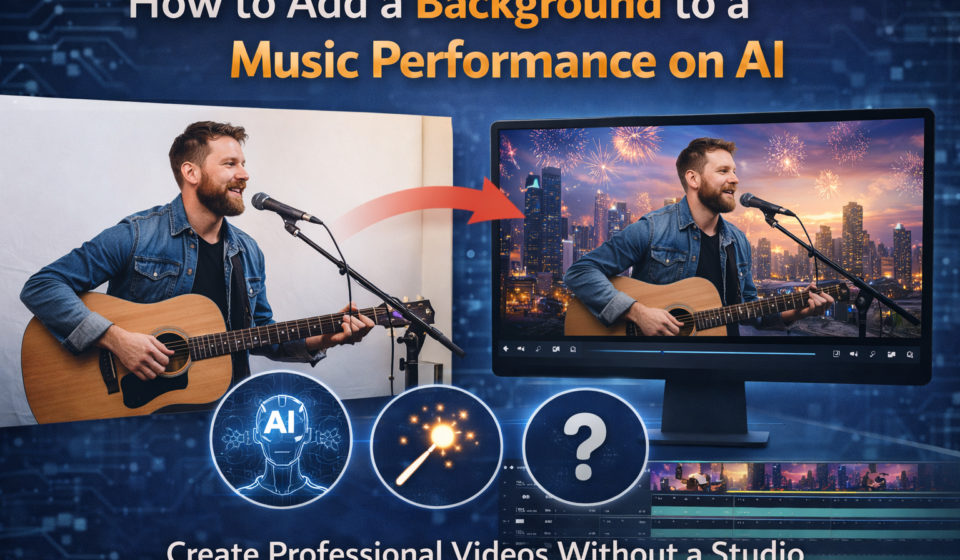
Top AI tools for musician photoshoot ai with own face
| Tool | Best for | Face accuracy | Price range | Styles available |
|---|---|---|---|---|
| Aragon AI | Professional musician headshots | Very high | $29 one-time | Studio, dramatic, artistic |
| Remini | Quick AI portraits on mobile | High | Free / $9.99/mo | Cinematic, editorial, casual |
| Fotor AI | Band and group musician shoots | Medium | Free / $8.99/mo | Retro, modern, fantasy |
| Lensa AI | Creative album cover style | High | $7.99 per pack | Cosmic, artistic, surreal |
| Portrait AI | Budget-friendly AI portraits | Medium | Free basic | Classic, vintage, pop art |
| Midjourney + IP Adapter | Advanced custom musician images | Very high | $10/mo | Fully custom |
Introduction: You Do Not Need a Camera Crew Anymore
If you are a musician struggling to get professional photos, you already know the problem. Studio shoots cost hundreds of dollars. Hiring a photographer takes time. And getting the lighting right is a whole project on its own. But here is the good news. A musician photoshoot AI with own face changes everything. You upload a few photos of yourself. The AI studies your face. Then it generates stunning, professional-level musician portraits. No studio, No crew and No expensive gear. Just your face and a few clicks.
This guide covers everything you need to know. We explain what AI musician photo tools are, show you how they work, list the best tools. Also We walk you through the process step by step. We also answer every common question at the end.
What Is a Musician Photoshoot AI With Own Face?
An AI musician photoshoot uses artificial intelligence to create realistic photos. These photos feature your actual face placed into professional-looking setups. The AI does not just slap your face onto a random image. It studies your facial structure, skin tone, and features. Then it rebuilds your face inside a generated scene.
You might see yourself standing under moody stage lighting. Or sitting in a recording studio with guitars in the background. Or wearing a dramatic outfit for an album cover shoot. The AI creates all of this digitally. It looks real because your actual face is in the image.
This technology uses a method called diffusion-based image generation. Tools like Stable Diffusion and Midjourney power many of these platforms. When you add your face using a technique called IP-Adapter or DreamBooth, the AI learns your features. It then applies those features to new images it generates.
Why Musicians Are Choosing AI Photo Tools
Musicians need great photos constantly. Album covers, press kits, social media, streaming profiles, event posters and more all need visual content. A traditional photoshoot is expensive. It also takes weeks to plan and edit. AI music artist photo tools solve this instantly.
Here is why musicians are making the switch.
Cost savings are massive. A studio shoot costs anywhere from $200 to $2000. An AI headshot for musicians costs as little as $8 to $30. You get dozens of professional images for a fraction of the price.
Speed is unbeatable. A traditional shoot takes days. Editing takes more days. An AI tool delivers results in 20 to 60 minutes after you upload your photos.
Creative freedom is unlimited. Want to look like you are performing at a sold-out stadium? Or posing in a neon-lit underground venue? AI generates any scene you can describe. No location scouting needed.
You keep full control. Choose the style, the lighting mood, the background, and the outfit direction. You are the creative director of your own shoot.
How AI Musician Photos Actually Work: Step by Step
Understanding the process helps you get better results. Here is how a musician AI portrait session works from start to finish.
Step 1: Gather Your Reference Photos
You need at least 10 to 20 clear photos of your face. Use different angles. Include front-facing shots, side profiles, and three-quarter angle photos. Natural lighting works best. Avoid sunglasses, hats, or anything covering your face.
Step 2: Upload Your Photos to the AI Tool
Visit your chosen AI music photo platform. Create an account. Upload all your reference photos. The platform then trains a custom AI model on your face. This usually takes between 20 minutes and 2 hours depending on the tool.
Step 3: Choose Your Musician Style and Scene
Once training completes, you select a style. Options typically include studio portrait, on-stage performance, album cover, dark and moody editorial, neon urban, acoustic vintage, and many more. Each style creates a different visual mood for your artist identity.
Step 4: Generate Your AI Musician Photos
The AI generates a batch of images. You usually receive 40 to 100 photos per session. Review the results. Download your favourites. Many tools also let you regenerate specific shots with adjusted prompts.
Step 5: Touch Up and Use Your Images
You can lightly edit your AI-generated photos in tools like Lightroom or Canva. Adjust brightness or contrast if needed. Then use them across your Spotify artist page, Instagram, press releases, and album artwork.
Best AI Tools for Musician Photoshoot With Your Own Face
The comparison table above gives you a quick overview. Now let us go deeper on each tool.
Aragon AI
Aragon AI is one of the best platforms for professional AI headshots for musicians. You upload 12 or more photos. The system trains on your face in about 60 minutes. The output quality is very high. Faces look accurate and natural. Backgrounds and lighting match professional studio standards. It works great for press kit photos and streaming profile images.
Lensa AI
Lensa AI became famous for its Magic Avatars feature. Musicians love it for its artistic and surreal styles. You upload 10 to 20 selfies. The app generates 50 or more images in various artistic directions. It is ideal for musicians who want album cover-style art. The cinematic and fantasy styles are particularly popular among indie and electronic artists.
Remini
Remini is a mobile-first AI portrait app. It is fast, simple, and affordable. Musicians who need quick content for social media use it daily. The AI portrait quality is strong. Faces remain consistent and recognisable. It offers cinematic and editorial presets that suit musician branding well.
Fotor AI
Fotor AI supports both individual and group musician shoots. If you are in a band, this is a key advantage. You can generate images of multiple people using AI. Fotor also has a wide range of style presets. The retro and modern styles work well for band promotional photos.
Midjourney With IP-Adapter
This is the most advanced option. It requires more technical knowledge. You use Midjourney to generate scenes. Then you use an IP-Adapter or ControlNet plugin to inject your face into the generated image. The face accuracy is very high. The creative control is almost unlimited. This suits musicians who want truly unique and custom AI generated musician images.
What Styles Can You Create for a Musician AI Photo Session?
The range of styles available is huge. Here are the most popular ones musicians choose.
Studio portrait style gives you a clean, polished look. White or dark background with professional lighting. Great for press kits and streaming profiles.
Stage performance style places you on a concert stage. Dramatic lights, smoke effects, crowd blur in the background. Ideal for event posters and social media.
Album cover art style is moody, cinematic, and highly stylised. Dark tones, dynamic composition, dramatic colour grading. Perfect for new release promotion.
Urban street style puts you in city environments. Graffiti walls, neon signs, nighttime streets. Works well for hip hop, pop, and urban music artists.
Acoustic and folk style uses warm, natural settings. Wooden interiors, soft light, earthy tones. Great for singer-songwriters and acoustic artists.
Fantasy and surreal style goes beyond reality. Space backgrounds, watercolour effects, painterly aesthetics. Best for alternative and electronic music artists.
Tips to Get the Best Results From AI Musician Photos
Follow these tips and your results will improve significantly.
Use a variety of reference photos. Do not upload 20 photos all taken from the same angle. Mix front, side, and three-quarter views. Include different lighting conditions.
Avoid heavy filters on your reference photos. The AI learns from your actual face. Heavy filters confuse the training process. Use natural, unfiltered photos.
Choose styles that match your music genre. A death metal artist should not choose a pastel pop style. Your visual identity should reflect your sound. Think about what your fans expect to see.
Download and review all generated photos carefully. Not every image will be perfect. Pick the top 5 to 10 that best represent your brand. Quality matters more than quantity.
Use a light touch when editing AI photos. Adjust exposure and colour temperature if needed. But do not over-edit. The AI already does most of the heavy lifting.
Read more about ” Add a background to a music performance on ai ”
How AI Musician Photos Help Your Music Career
Your image is part of your brand. A strong visual identity helps fans connect with your music. It makes you look professional to labels, promoters, and playlist curators. And it gives you consistent content for all your platforms.
An AI music artist photo session gives you dozens of images at once. You can plan months of social media content in one afternoon and you can update your press kit without booking a photographer. Also You can try bold new visual styles without risk or major expense.
Many independent musicians use AI photoshoots to compete with major label artists. The visual gap between indie and major artists is now much smaller. AI tools for musicians have made professional-looking photos accessible to everyone.
Possible Search Queries This Article Answers
This article answers many questions that musicians search online. Some of the most common include the following.
How do I create AI musician photos with my own face? What is the best AI tool for musician headshots? Can I use AI to generate album cover photos of myself? How does face swap AI work for musicians? Is AI music photography free? Which AI tools create realistic musician portraits? How do I make professional band photos with AI? What styles can I create with musician AI photo tools? Are AI generated musician images high quality?
All of these questions connect back to the core idea. You can create stunning professional musician photos using AI, You do not need a studio and You do not need a photographer. You just need your face and the right tool.
Conclusion: Your Face, Your Music, Your AI Photo Studio
The world of music photography has changed forever. A musician photoshoot AI with own face gives every artist access to professional, stunning, and versatile imagery. Whether you are an independent singer-songwriter or a touring band, these tools level the playing field. You save money. You save time. And you get photos that truly reflect your artistic identity.
Start with a free trial on any of the tools mentioned above. Upload your best reference photos. Choose a style that matches your music. And watch your visual brand transform in under an hour. Your fans deserve to see the best version of you. AI makes that easier than ever before.
Frequently Asked Questions (FAQ)
Q1: What is a musician photoshoot AI with own face?
It is an AI tool that generates professional musician photos using your actual face. You upload reference selfies and the AI creates realistic images in various styles and settings.
Q2: How many photos do I need to upload for AI musician headshots?
Most platforms recommend uploading between 10 and 20 photos. Using varied angles and lighting gives the AI more data to work with and improves accuracy.
Q3: Which is the best AI tool for musician photos with your face?
Aragon AI and Lensa AI are top choices for face accuracy and style variety. Midjourney with IP-Adapter offers the most creative control for advanced users.
Q4: Are AI musician photos realistic enough for professional use?
Yes. Modern AI tools produce high-quality images that work well for press kits, streaming profiles, social media, and album artwork.
Q5: How long does an AI musician photoshoot take?
The AI training phase takes 20 minutes to 2 hours. Once trained, images generate in seconds to a few minutes. The full process usually takes under 2 hours.
Q6: Can I use AI music artist photos for commercial purposes?
Most platforms allow commercial use. Always review the terms of service of the specific tool you choose before publishing images for commercial projects.
Q7: Do I need any design or photography skills to use these tools?
No skills are needed. The platforms are user-friendly. You upload photos, select a style, and download your results with no technical knowledge required.
Q8: What styles are available in AI musician photo generators?
Common styles include studio portrait, stage performance, album cover, urban street, acoustic and folk, and fantasy or surreal. Different tools offer different style libraries.
Q9: Can a band use AI photoshoot tools for group musician images?
Yes. Tools like Fotor AI support group photo generation. Each member uploads individual reference photos and the AI can generate coordinated group-style images.
Q10: Is there a free AI musician photoshoot tool available?
Some tools like Fotor AI and Portrait AI offer free basic plans. Paid plans unlock higher quality, more styles, and faster generation times.